
Guides • May 9, 2026
Word to Handwriting Converter Online Free
Use a free Word to handwriting converter to upload DOCX or paste document text, preview handwritten pages, and export PDF, PNG, or JPG.
Written by admin · Updated August 29, 2026
Word to Handwriting Converter Online Free: Turn Document Text into Handwritten Pages
A Word to handwriting converter online free helps you turn typed document text into realistic handwritten-style pages without rewriting everything by hand. If your content is in a modern Word .docx file, you can upload it directly below. You can also paste text from Word, Google Docs, Notepad, or another editor, choose a handwriting style, preview the page, and download the final result.
This workflow is useful for study notes, worksheet text, drafts, examples, printable pages, letters, and handwritten-style documents. Instead of using only a handwriting font inside Word, a dedicated converter gives you paper styles, margins, ink color, spacing controls, and PDF export.
If you are new to the full process, start with our step-by-step guide on how to convert text to handwriting. If you specifically need a downloadable file, read the text to handwriting PDF generator guide.
For a focused guide on making full page output, see create handwritten pages online free.
If your Word or Google Docs content is mostly study material, read how to make typed notes look handwritten online.
What the DOCX Importer Preserves
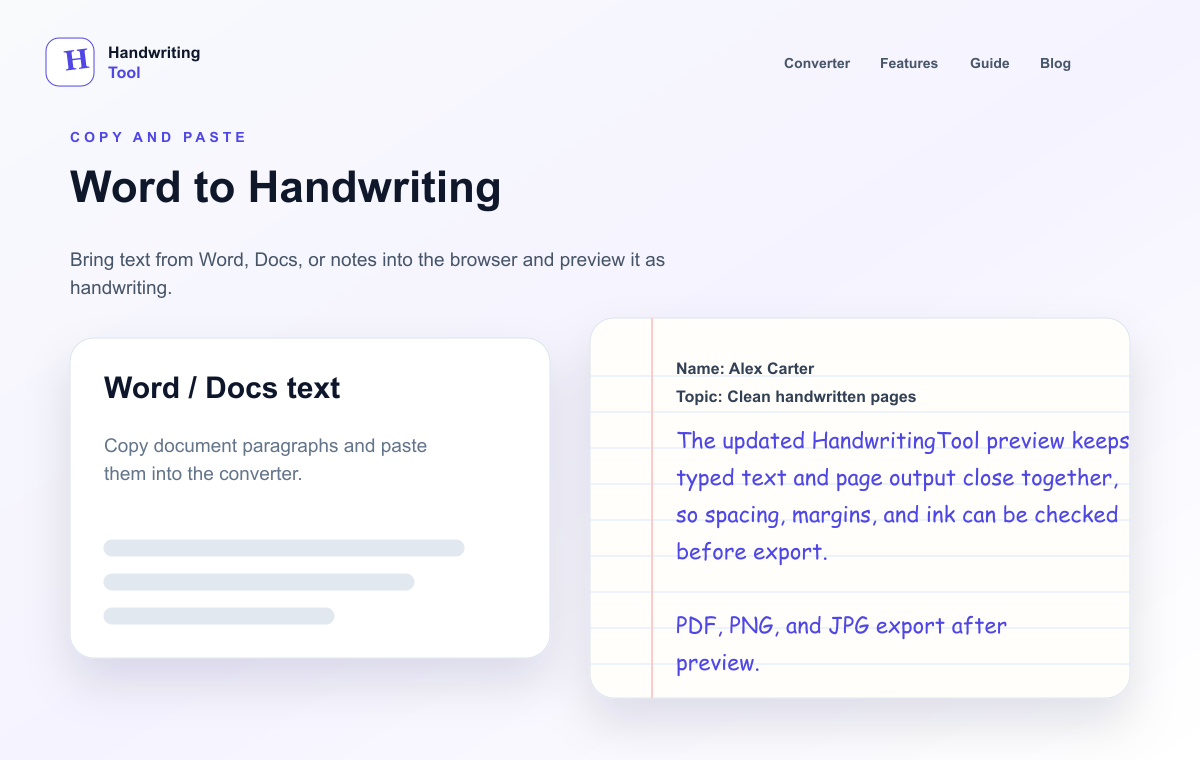
The browser-local importer extracts useful editable text in document order. Paragraphs, headings, list-item text, line breaks, and basic table-cell text are carried into the editor where practical. Review that text before conversion, then use the existing page, paper, handwriting, and export controls.
The importer does not reproduce Word fonts, colors, page margins, images, tracked changes, or the exact visual table layout. It deliberately converts document content to plain text rather than pretending to preserve Word formatting. Your source file and extracted text stay in the browser during this workflow.
What Is a Word to Handwriting Converter?
A Word to handwriting converter is a tool that changes copied document text into handwritten-style pages. The text may come from:
- Microsoft Word
- Google Docs
- Notepad
- Apple Pages
- A text editor
- An email draft
- A copied paragraph from another document
The converter can extract editable plain text from a .docx file directly in your browser. Copy and paste remains available for Google Docs, legacy .doc files, and documents that need manual cleanup.
HandwritingTool then renders your typed content as handwriting on lined, blank, or graph paper. You can adjust the style and download the result as PDF, PNG, or JPG.
Why Not Just Use a Handwriting Font in Word?
Microsoft Word can use handwriting-style fonts, but fonts alone usually do not create a natural page. A font changes the letters, but it does not automatically handle the full handwritten-page experience.
With only a font in Word, you may still need to manually adjust:
- Page margins
- Line spacing
- Letter size
- Paper background
- Ink color
- Page export
- Natural handwriting variation
A dedicated text to handwriting converter is better when you want a page that looks like handwriting, not just typed text with a casual font.
How to Convert Word Text to Handwriting Online
The process is simple and works directly in your browser.
Step 1: Prepare Your Document Text
Open your Word document or Google Docs file. Clean up the text before converting it:
- Remove extra blank lines
- Keep paragraphs short
- Fix spelling mistakes
- Add headings only where needed
- Avoid very long blocks of text
Clean source text creates cleaner handwritten output.
Step 2: Upload DOCX or Copy the Text
Upload a modern .docx file in the converter above, or select and copy the text you want to convert. Legacy .doc files are not supported; save them as .docx first or use copy and paste.
Step 3: Review the Editable Text
The extracted plain text appears in the existing HandwritingTool editor. Review headings, lists, tables, and line breaks before rendering; Word formatting itself is intentionally not reproduced.
Step 4: Paste Your Text
Paste your document text into the input box. The live preview will show handwritten-style pages after the converter renders your text.
Step 5: Choose a Handwriting Style
Pick a readable handwriting style. For study notes, worksheets, and document-style pages, a neat notes-style or clean notes style is usually better than decorative cursive.
For font selection help, read our guide to the best handwriting fonts for study pages. The same readability rules also apply to notes, worksheets, and document formats.
Step 6: Adjust Page Settings
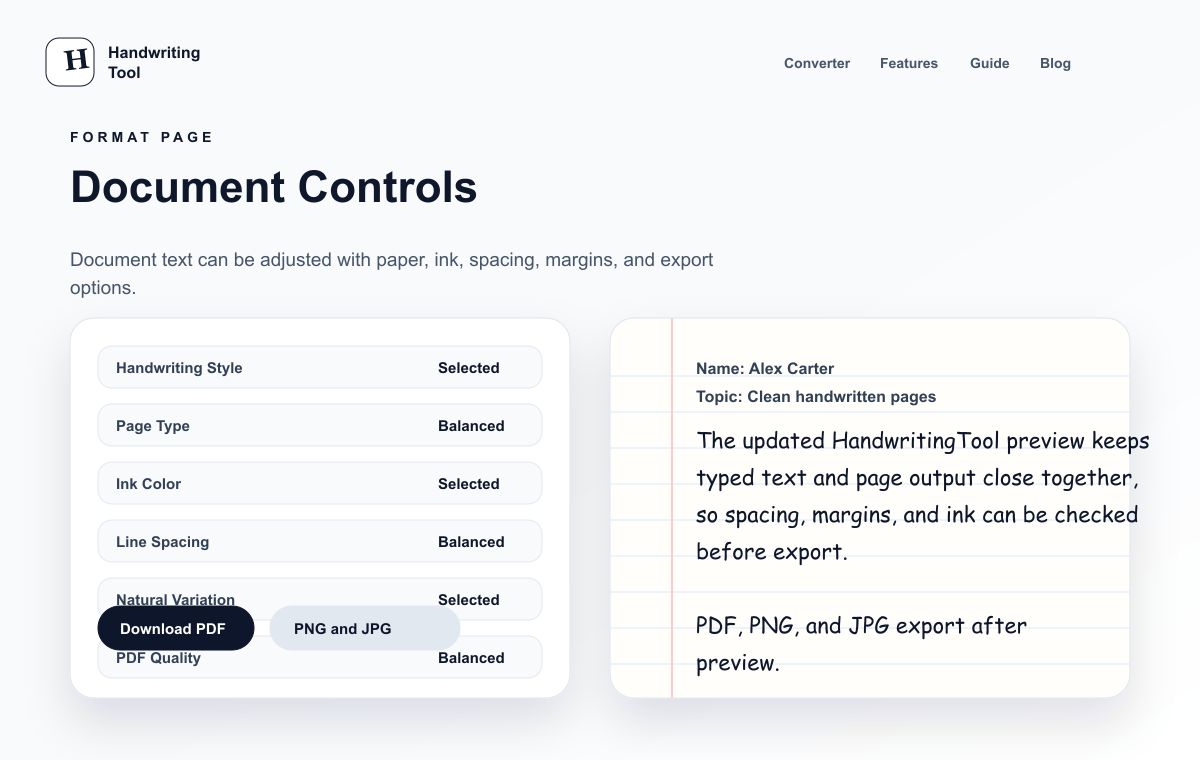
Use the page controls to make the result look natural:
- Paper type: lined paper for notes, blank paper for clean documents, graph paper for structured work
- Ink color: blue or black for familiar handwritten pages
- Font size: medium for readability
- Line spacing: slightly open so the page does not feel crowded
- Margins: enough space on the left and top
- Page size: A4 or Letter depending on your use case
If realism matters, use our guide on how to make handwriting look realistic online.
Step 7: Preview Before Downloading
Always check the preview before exporting. Look for crowded lines, awkward paragraph breaks, or text that is too small. Small spacing changes can make the final page much easier to read.
Step 8: Download as PDF, PNG, or JPG
When the preview looks good, download your handwritten pages. Use PDF if you want one printable document. For export-format details, page-size matching, and print-quality tips, see the PDF generator guide.
Best Settings for Word to Handwriting Conversion
For most copied document text, start with these settings:
| Setting | Recommended Choice | Why It Helps |
|---|---|---|
| Paper type | Lined paper | Gives document text a familiar notebook look |
| Ink color | Blue ink or black ink | Looks natural and easy to read |
| Font size | Medium | Keeps long text readable |
| Line spacing | Slightly open | Prevents the page from feeling packed |
| Margins | Normal or wider | Makes the output cleaner |
| Export format | Best for printing and saving complete pages |
These are starting points. If the page feels too full, increase line spacing or reduce the amount of text per section.
Clean Word Formatting Before You Paste
Word and Google Docs text can carry spacing habits that do not look good after conversion. Before pasting, clean the text like this:
- Remove extra blank lines
- Replace long paragraphs with shorter sections
- Keep headings simple
- Remove page numbers and headers
- Convert complex tables into short lines
- Keep lists short and readable
This makes the handwritten output look more natural and reduces crowded pages.
Document Length Guide
| Source Text | Best Workflow |
|---|---|
| 1 short paragraph | Paste directly and export as image or PDF |
| 1 full page | Use headings and preview before PDF export |
| 2-5 pages | Convert in sections and export as PDF |
| Tables or formulas | Simplify first or use graph paper |
| Long essays | Split into pages and check readability carefully |
Word to Handwriting PDF: When to Use PDF Export
PDF is the best format when your copied Word text becomes more than one handwritten page. It keeps all pages in one file and preserves the layout for printing or sharing.
PDF export is useful for:
- Study notes
- Printable worksheets
- Draft pages
- Personal letters
- Document examples
- Handwritten-style document formats
If you want more detail about PDF output, read our full text to handwriting PDF generator article.
Word to Handwriting on Mobile
You can also convert Word or Google Docs text to handwriting from a phone:
- Open your document app.
- Copy the text.
- Open HandwritingTool in your browser.
- Paste the text into the converter.
- Preview the page.
- Download the result as PDF or image.
For mobile-specific tips, see our guide on making a handwritten-style PDF on mobile.
Common Mistakes to Avoid
Pasting Too Much Text at Once
Long document sections can make handwriting pages look crowded. Split long content into smaller sections before converting.
Choosing Decorative Fonts
Decorative cursive can look attractive, but it may be harder to read. Use simple handwriting styles for document text.
Ignoring Line Spacing
If the lines are too close, the output feels artificial. Slightly wider spacing usually looks better.
Downloading Without Previewing
Preview first. A quick check helps you catch layout issues before exporting the final file.
Using the Tool for Drafting and Documents
Use handwritten-style output for planning, drafts, examples, notes, and documents. Preview the page carefully, keep your source text accurate, and export the format that fits your work.
Word to Handwriting vs Text to Handwriting
The search terms are slightly different, but the workflow is almost the same.
| Search Intent | What It Usually Means |
|---|---|
| Word to handwriting converter | User has text in a document and wants handwritten output |
| Text to handwriting converter | User wants to paste any typed text and generate handwriting |
| Document to handwriting converter | User wants a printable handwritten-style file |
| Word to handwriting PDF | User wants a downloadable PDF from document text |
HandwritingTool covers these use cases because it accepts DOCX uploads or pasted text and exports complete handwritten-style pages.
Who Should Use This Tool?
A free Word to handwriting converter is useful for:
- Users turning typed notes into printable handwritten-style pages
- Teachers preparing worksheet examples
- Creators making handwritten-style visuals
- Users formatting letters or personal notes
- Anyone who wants document text to look handwritten for notes, drafts, or visual pages
Teachers who need worksheets students write on themselves — traceable letters, names, and spelling words — can build them with the handwriting worksheet generator.
For note-focused use, read the handwritten notes generator guide.
FAQs
Can I convert Word text to handwriting online for free?
Yes. Upload a .docx file or paste text from Word into HandwritingTool, choose a handwriting style, preview the page, and download the output as PDF, PNG, or JPG.
Can I upload my Word file?
Yes, modern .docx files can be processed locally in your browser. Legacy .doc files are not supported; save them as .docx or copy and paste the text.
Can I edit the DOCX text before creating handwriting?
Yes. Extracted paragraphs, headings, list text, and basic table text are placed in the normal editor. Correct or reorganize the text before previewing and exporting PDF, PNG, or JPG pages.
Can I download Word text as handwritten PDF?
Yes. After converting the pasted text into handwriting, you can download the handwritten pages as a PDF.
What is the best paper style for document text?
Lined paper works well for notes and study pages. Blank paper is better for letters, clean examples, and simple printable documents.
Does a handwriting font in Word look realistic?
Sometimes it can look handwritten, but it usually lacks paper texture, margins, spacing controls, and natural page layout. A dedicated handwriting converter gives better page-level output.
Can I use this on mobile?
Yes. You can copy text from a document app on your phone, paste it into HandwritingTool, preview the page, and download the result.
Is this safe for school or work?
Use it for notes, drafts, examples, documents, and visual previews. Check the page before downloading so the output is readable.
Final Thoughts
A Word to handwriting converter online free is a fast way to turn DOCX or copied document text into readable handwritten-style pages. Instead of fighting with fonts and manual page formatting, you can upload or paste your text, choose a style, adjust the paper settings, preview the result, and download a clean PDF or image.
Try the free text-to-handwriting converter
For the full beginner workflow, read how to convert text to handwriting, or compare export options in the text to handwriting PDF generator guide.