Handwritten Notes Generator
Turn typed notes into handwritten-style pages
Prepare class notes, revision points, or simple notes with optional title, subject, and date fields, then render them with the same reliable browser-based handwriting engine.
Notes Studio
Turn typed notes into handwritten pages
Quick presets
27 words detected. Preview updates after you pause typing.
There is no fixed text limit. For faster previews, work in sections when a document reaches several thousand words, and use low or medium PDF quality on memory-limited phones.
Math lines with $$Centered display lines for formulas.
Wrap any formula in double dollar signs, like $$x^2 + 2x + 1 = 0$$, and it becomes a centered display line with roomy spacing — handy for worksheets and revision notes. You can mix math with normal text: the $$...$$ part gets its own line wherever it appears in a paragraph.
Math lines are drawn in your handwriting font; this is not typeset LaTeX, so fractions, square roots, and stacked symbols will not render as textbook notation — write them in plain text (for example (a+b)/2 or sqrt(x)). Very long formulas shrink to fit the page width. Math lines work with every paper type and are included in PNG, JPG, and PDF exports.
Handwriting Style
TTF or OTF up to 5 MB. Your font is loaded in this browser only and stays available for this session. Uploaded fonts are used for the preview and are included in PNG, JPG, and PDF exports.
How to use custom fonts
Pick a .ttf or .otf file from your device and it appears above as a new style card marked “Custom”, already selected. Type as normal — the preview, PNG, JPG, and PDF exports all use your font exactly like the built-in styles.
Uploaded fonts live in this browser tab only: refresh the page and you will need to upload again. Remove a font any time with the × on its card. Only upload fonts you have the right to use — many free fonts allow personal use but restrict sharing, so check the license if you plan to distribute your exports.
If an upload fails, check the file really is a .ttf or .otf (not a renamed document) and is under 5 MB. On phones, use the system file picker rather than a cloud drive preview if the first attempt fails.
>Advanced SettingsFine-tune margins, paper brightness, tilt, and handwriting variation.
More formats
Export only content you created or have permission to use. Do not use generated pages to misrepresent authorship, identity, records, or assessed work. See our responsible-use guidance.
Preview
Real-time handwritten pages
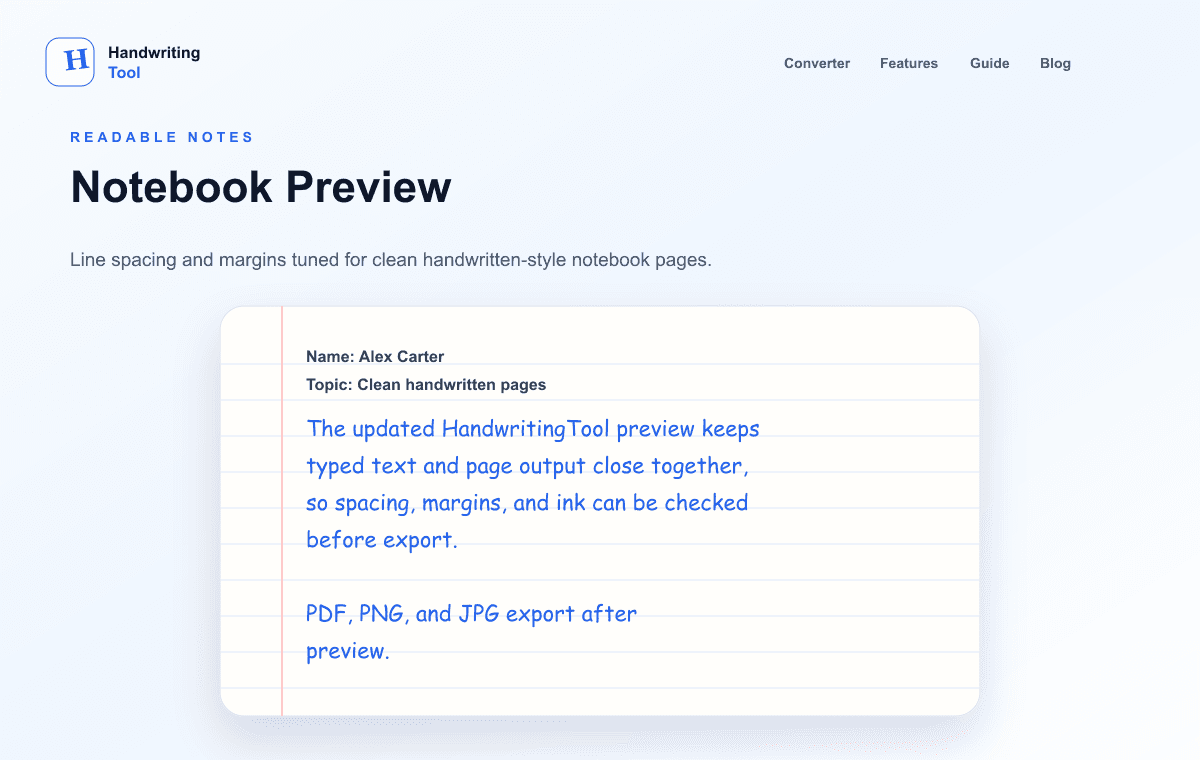
The preview contains 1 handwritten-style pages generated from the text editor. Decorative paper lines and text positioning are represented in the preview images.
Title: Weekly Planning Notes
This preview shows how your typed notes can become a readable handwritten-style page.
Adjust paper, spacing, margins, ink color, and style before exporting.
Use it for notes, worksheets, journal drafts, printables, and design previews.
Current Output Example
What this focused tool creates
A readable notes preset with a simple header, lined paper, and open spacing.
- Optional title, subject, and date
- Class and revision-note presets
- Multi-page study-note PDF export
How to use this tool
- Clean and verify the notes before styling them.
- Optionally add a title, subject, and date, then apply those details to the editor.
- Choose Class Notes, Revision Notes, Simple Notes, or another shared preset.
- Preserve paragraph breaks, review each page, and export a PDF or image.
Recommended settings
- Class Notes
- Lined A4, blue ink, readable style, open spacing
- Revision Notes
- Lined A4, black ink, concise sections, low variation
- Simple Notes
- Blank A4, blue ink, natural spacing, no margin line
Readable study-note workflow
Use short headings, key points, one example, and a recap question. PDF is the practical export for multi-page revision sets; print one test page before producing a large set.
Current limitations
The notes workspace does not summarize, generate, fact-check, or automatically structure notes. Import a DOCX through the separate Word workflow or a selectable-text PDF through the PDF converter, then move the reviewed text into this notes workspace.
Privacy and next steps
The note text is rendered locally in your browser and is not stored by a HandwritingTool application server. Third-party website services may still process technical and usage information as described in the privacy policy.
In-depth guide
Handwritten Notes Deep Dive: From Rough Class Notes to Polished Revision Pages
The handwritten-notes workspace is built for one job: turning study material you already have into clean, readable handwritten-style pages. It does not summarize, generate, or fact-check — you bring the content, and the tool handles the presentation. Optional title, subject, and date fields add a simple plain-text header, which makes multi-page sets feel like a real notebook instead of loose exports.
Start by cleaning your text: fix typos, break up long paragraphs, and decide the order of topics. Add the title, subject, and date if you want the header, then apply them to the editor. Choose the preset that matches the job — Class Notes for same-day rewrites, Revision Notes for condensed exam material, Simple Notes for minimal pages — or adjust the controls manually. Keep paragraph breaks intact so topics stay visually separated, then review every page in the preview before exporting.
The highest-value habit is rewriting class notes the same day. Paste the day's rough notes, trim the filler, and render them with the Class Notes preset: lined A4, blue ink, a readable style, open spacing. Reading and restructuring the material as you clean it is genuine revision, and the finished pages are far easier to revisit than the original scrawl or a wall of typed text.
For exam season, build revision sets topic by topic. Condense each topic to its essentials — short headings, key points, one worked example, and a recap question — and export each topic as its own PDF with a clear filename. Multi-page PDF export keeps a whole topic in one file, and consistent settings across topics make the full set feel coherent when you print it.
The same workflow suits meeting notes, reading notes, and project logs. Capture now, clean later: dump raw points into the editor during the meeting, then tidy and render afterwards. Archived as dated PDFs, these become a personal record that is genuinely pleasant to re-read — which is the whole point of keeping notes at all.
A few readability rules pay off everywhere. Keep headings short and frequent; a page of unbroken paragraphs is hard to scan no matter how nice the handwriting. Put one idea per bullet or line, leave breathing room between sections, and end dense topics with a recap question you can answer from memory later. Always print one test page before producing a large set — spacing that looks generous on screen can feel tight on paper.
Recommended settings are starting points, not rules. Class Notes works well as lined A4 with blue ink and open spacing; Revision Notes benefits from black ink, concise sections, and low variation so dense pages stay legible; Simple Notes suits blank A4 with natural spacing and no margin line. Change one control at a time and re-preview — when every adjustment is deliberate, the final pages look it.
Know what the workspace will not do, and you will never be disappointed by it. It will not fix your arguments, check your facts, or turn a vague paragraph into a clear one — editing remains your job, and that is exactly why the finished output is worth keeping. It will not reproduce anyone else's handwriting, forge signatures, or make a document look officially handwritten where that would mislead a reader; school and workplace rules about generated pages still apply. Used honestly — your words, your notes, your revision — it is simply the fastest way to make study material you will actually re-read.
For export, match the format to the job. PDF is the default for anything multi-page: revision sets, meeting archives, and printed notebooks stay in order and print predictably. PNG suits single pages you want to drop into slides, documents, or design mockups at full sharpness. JPG is the lightweight option for quick sharing where file size matters more than crisp edges. Whatever you choose, export once from the preview — repeated re-exports soften the letterforms, especially in JPG.
Frequently asked questions
Does this tool summarize notes with AI?
No. It converts the notes you write or paste; it does not summarize or generate study content.
Can I add a title, subject, and date?
Yes. The optional note-detail fields insert a simple plain-text header while leaving the main editor available.
Can I upload a Word file or PDF?
Document upload is handled by the separate Word DOCX workflow and PDF to handwriting converter. After extraction, review the text before formatting it as notes.