
May 19, 2026
Written and edited by Anwar
Anwar founded HandwritingTool and edits the site's guides on handwriting conversion, page layout, printable documents, and writing workflows.
Updated May 19, 2026. Each guide is reviewed for clarity, practical usefulness, and responsible page-creation workflows.
Handwriting Tool vs Handwriting Generator: What's the Real Difference?
Many people use "handwriting tool," "handwriting generator," "handwriting converter," and "text-to-handwriting tool" as if they all mean the same thing. That is understandable. All of these terms usually point to one broad idea: you type something, and a website turns it into handwriting-style output.
But the terms are not exactly identical. The difference depends on what the website lets you do, how much control it gives you, and what file you can download at the end. A simple generator may only create handwritten-looking text. A full handwriting tool usually gives you a complete workflow with paper styles, spacing, margins, previews, and downloads.
This guide explains the real difference between handwriting tool and handwriting generator searches, where a handwriting converter fits in, and which option is best for common uses.
If you are new to the basic workflow, read how to convert text to handwriting. For natural output tips, see how to make handwriting look realistic online.
What Is a Handwriting Tool?
A handwriting tool is a broader online utility for creating handwritten-style pages from typed content. Instead of only changing a font, it helps you prepare the whole page.
A good handwriting tool may include:
- A text box for typing or pasting content
- Multiple handwriting styles
- Paper options such as blank, lined, or notebook-style pages
- Font size, line spacing, and word spacing controls
- Margin and page layout settings
- Ink color choices
- Live preview
- PDF, PNG, or JPG download options
This makes a handwriting tool useful when you care about the final document, not just the text style. Users, creators, and productivity users often need pages that are readable, printable, and easy to adjust.
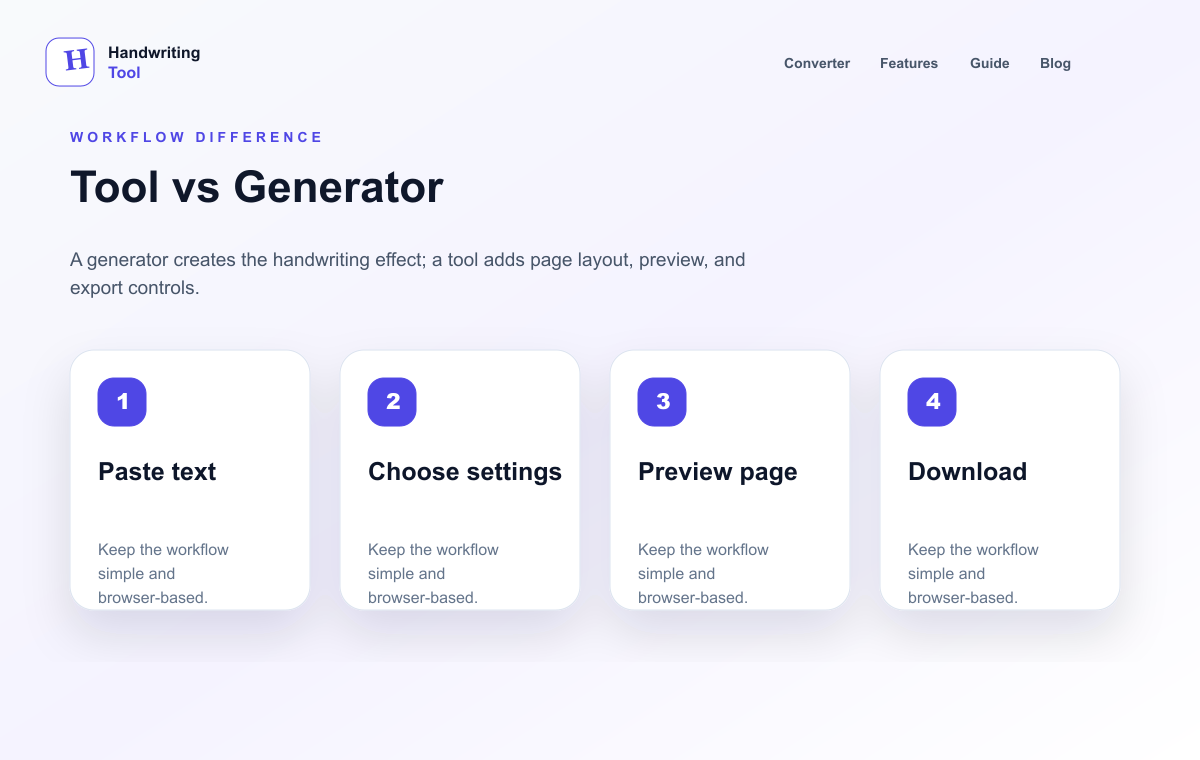
In that sense, HandwritingTool is designed as a full page-making utility. You can type your content, choose how it should look, preview the page, and export the result. If you want clean page output with paper, margins, and file downloads, start with the HandwritingTool editor.
For a related guide focused on complete page output, read create handwritten pages online free.
What Is a Handwriting Generator?
A handwriting generator is usually more focused. Its main job is to generate handwritten-looking text from typed input. You enter words, choose a style, and the generator renders the result as handwriting.
Some handwriting generators are simple font preview tools. Others include paper backgrounds or export options. The term is broad, so two websites that call themselves handwriting generators may work differently.
The key idea is close to learning how to convert text to handwriting: a handwriting generator starts with the output style. It answers the question, "How can I make this typed text look handwritten?" That is useful when you need a quick preview, a short sample, or a handwritten-looking image.
If the generator does not include page controls, the result may feel incomplete. Realistic output usually needs spacing, paper texture, margins, and a balanced layout.
If you want to understand generators in more detail, read our guide to using a handwritten text generator.
Handwriting Tool vs Handwriting Generator: Main Differences
The phrase "handwriting tool vs handwriting generator" is really about workflow, especially when comparing the best text to handwriting tools for full-page output. A generator focuses on creating the handwritten effect. A tool usually includes the generator plus the surrounding controls needed to make the output useful.
| Feature | Handwriting Tool | Handwriting Generator | | --- | --- | --- | | Purpose | Helps create complete handwritten-style pages | Creates handwritten-looking text from typed input | | Input type | Typed or pasted text, sometimes longer documents | Usually typed or pasted text | | Output options | Often supports PDF, PNG, JPG, and printable pages | May support preview images or basic downloads | | Customization | Usually includes font size, spacing, margins, ink, and layout controls | May only offer handwriting style or limited settings | | Paper styles | Often includes lined, blank, notebook, or page backgrounds | May include paper styles, but many do not | | PDF export | Common in fuller tools because users need printable files | Not always available | | Best use case | Notes, printable pages, structured note pages, worksheets, and organized exports | Quick handwriting previews, short samples, and simple generated text |
The practical takeaway is simple: if you only need a quick handwritten-looking line, a generator may be enough. If you need to create handwritten pages you can print, save, or share, a handwriting tool is usually better.
What Is a Handwriting Converter?
A handwriting converter is a more specific term for changing typed text into handwritten-style output.
When people compare handwriting converter vs handwriting generator, the difference is small but useful:
- A handwriting converter describes the conversion process.
- A handwriting generator describes the created handwritten-looking result.
- A handwriting tool describes the fuller workspace with conversion, formatting, preview, and downloads.
The word "converter" often appears when users already know their starting point: typed text, Word content, PDF text, or notes. That is why guides such as Word to handwriting converter online free, PDF to handwriting converter guide, and handwritten notes generator focus on different inputs.
Which One Should You Use?
The best choice depends on what you want to create.
For Notes
Use a handwriting tool if you want neat, readable study notes with page controls. Notes often need headings, spacing, and a layout that is easy to scan.
For note-specific tips, read the handwritten notes generator guide.
For Printable Pages
Choose a handwriting tool with PDF export and paper settings. Printable pages need proper margins, readable line height, and a stable layout.
If PDF output matters most, see our guide to the text to handwriting PDF generator.
For Organized Note Pages
Use the tool when you want typed content to become a readable handwritten-style page with paper, margins, preview, and export controls.
For notes, drafts, worksheets, and printable documents, a handwriting tool can help you prepare clean pages, preview the layout, and download a readable file.
For Content Previews
A handwriting generator can be enough for quick previews. Creators may only need to see how a phrase, title, quote, or short paragraph looks in a handwriting style.
For longer previews that need paper and export controls, use a broader handwriting tool instead.
For PDF Export
Use a handwriting tool that supports PDF download. PDF export is important when you need page consistency across devices. It is also useful for printing, archiving, and sharing a file without changing the layout.
Why the Difference Matters
Understanding the difference matters because each search has a different expectation.
Someone searching for a handwriting generator may want fast visual output, not page controls.
Someone searching for a handwriting tool usually expects more control: page size, line spacing, paper type, ink color, and download format.
Someone searching for a handwriting converter usually has a source format in mind, such as notes, a document, or copied text.
This difference also affects output quality. Realistic handwriting is not created by the font alone. It depends on spacing, readability, paper style, margins, and export quality.
That is why a fuller handwriting tool often gives better results than a basic generator.
Final Verdict
A handwriting generator creates handwritten-looking text. A handwriting converter changes typed content into handwritten-style output. A handwriting tool usually offers the fuller workflow: input, generation, customization, paper settings, preview, and download.
If you want a quick phrase or sample, a generator may be enough. If you want notes, printable pages, structured note formats, or PDF export, choose a handwriting tool.
Try HandwritingTool
Try Handwriting Tool to convert typed text into realistic handwritten-style pages.
Use it for notes, page previews, worksheets, printable drafts, personal writing, documents, and visual workflows. Open the HandwritingTool editor, paste your text, adjust the page settings, and download your result.
FAQs
Is a handwriting tool the same as a handwriting generator?
Not always. A handwriting generator focuses on creating handwritten-looking text. A handwriting tool often includes that feature plus page layout, paper styles, spacing controls, preview, and downloads.
What is a handwriting converter?
A handwriting converter changes typed text into handwritten-style output. It describes the conversion process, while a handwriting tool describes the broader workspace.
Can I download generated handwriting as PDF?
Yes, if the tool supports PDF export. HandwritingTool lets you create handwriting-style pages and download them as PDF for printing and sharing.
Which is better for notes?
A handwriting tool is usually better for notes because notes need structure. Paper style, headings, spacing, and PDF export help create pages that are easier to read and reuse.
Can I use it for study pages?
Use it for notes, drafts, examples, documents, and visual previews. Preview the page carefully before downloading so the final output is readable and useful.
What makes online handwriting look realistic?
Realistic online handwriting depends on a readable style, natural spacing, normal ink colors, suitable paper, clean margins, and a balanced page layout. The best results come from adjusting the full page, not only changing the font.
Use the Converter Responsibly
HandwritingTool is best for readable notes, drafts, worksheets, examples, journal pages, printable resources, and document previews. Review your output carefully before printing or sharing it.