May 17, 2026
Written and edited by Anwar
Anwar founded HandwritingTool and edits the site's guides on handwriting conversion, page layout, printable documents, and writing workflows.
Updated May 19, 2026. Each guide is reviewed for clarity, practical usefulness, and responsible page-creation workflows.
How Users Can Convert Typed Notes Into Handwriting
Users often build their notes in pieces. A few points come from class, a few from slides, a few from a textbook, and a few from late-night revision. By the time practice week arrives, those notes may be scattered across Google Docs, Word files, phone notes, screenshots, or copied lecture material.
That is where handwritten-style study notes can help. You can clean your digital notes first, arrange them into short revision sections, and then turn them into notebook-style pages that are easier to print, review, and carry. The goal is not just to make text look decorative. The goal is to create readable study notes that feel like pages from a real notebook.
This guide is written for users who want better revision notes, printable handwritten notes, class summaries, notebook pages, and study sheets. It focuses on study-note formatting, ink choices, handwriting styles, spacing, margins, and clean printing instead of repeating another generic conversion tutorial.
You can start with the free HandwritingTool study-note editor. If you want a broader note workflow, read our guide to turning typed notes into printable study pages. For a general beginner tutorial, see the basic text-to-handwriting workflow.
For detailed realism tips, use the guide on making handwriting look natural online. If you want notebook-style paper, read how lined paper changes handwritten page output. For final document downloads, see the handwritten PDF export guide.
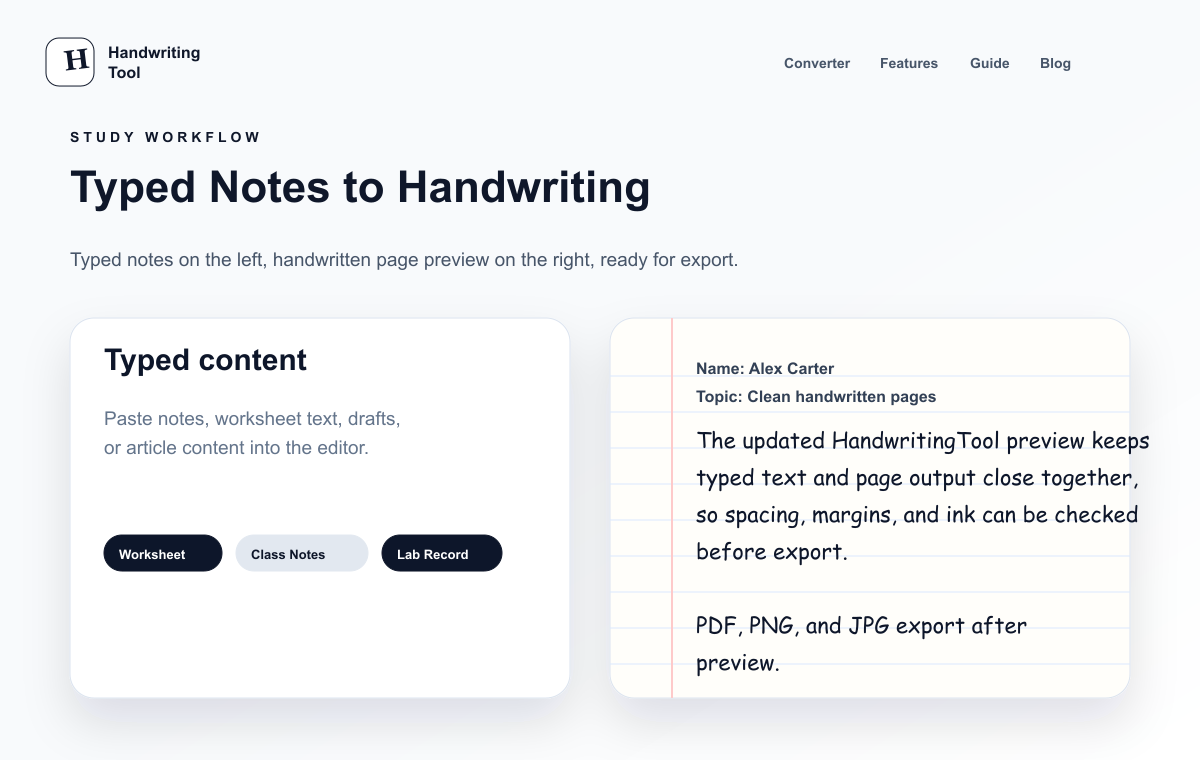
What It Means to Turn Digital Study Notes Into Handwriting
Turning digital study notes into handwriting means taking organized typed content and rendering it as a handwritten-style page. For users, the best output should look like a useful notebook page, not a poster, logo, or decorative quote.
A good handwritten-style study page usually includes:
- A readable handwriting style
- Lined or clean notebook paper
- Medium font size
- Natural line spacing
- Blue or black ink
- Enough left and right margins
- Short revision sections
- Clear headings for each topic
- PDF or image export for printing
This is different from changing the font in a document editor. A complete handwritten page renderer should help you create a full page with paper, spacing, and export options, not just stylish letters.
Why Users Use Handwritten-Style Study Notes
Typing is great for collecting information quickly. You can copy lecture points, fix mistakes, rearrange topics, and summarize long paragraphs. But when it is time to revise, many users prefer notes that feel closer to a notebook.
Handwritten-style notes are useful because they:
- Make digital notes feel more familiar on paper
- Work well for quick revision before practice sessions
- Turn rough class notes into cleaner study sheets
- Are easier to highlight after printing
- Help separate final revision notes from messy drafts
- Give users a consistent notebook format
- Can be saved as PDF, PNG, or JPG
This workflow is especially useful if your notes already live in Google Docs, Microsoft Word, Notepad, phone notes, or copied lecture material. If you start from Word or Google Docs, the article on copying document notes into a handwriting layout explains that process in more detail.
Best Types of Study Notes to Convert
For a cleaner workflow, start with create handwritten pages online free, compare the related guide on handwritten notes generator, and use how to convert text to handwriting when you need the next step. Not every digital note file will look good as a notebook page. Study-note output works best when the content is short, organized, and easy to scan.
Good notes to convert include:
- Lecture summaries
- Chapter revision points
- Definitions and key terms
- Vocabulary lists
- Practice checklists
- Short answer outlines
- Formula notes with simple text
- Timeline notes
- Personal revision sheets
Dense textbook paragraphs usually look crowded. Before converting, shorten the content and break it into sections. If you are creating full notebook pages from longer text, the guide to building complete handwritten-style pages has more page-layout advice.
Typed Notes vs Handwritten Study Notes
Typed notes and handwritten-style notes are useful at different stages of studying. The best note workflow often uses both.
| Study Stage | Typed Digital Notes | Handwritten-Style Study Notes | | --- | --- | --- | | Collecting information | Fast for lectures, slides, and research | Slower if created too early | | Editing | Easy to rewrite and rearrange | Best after content is final | | Revision | Can feel plain or crowded | Feels closer to notebook reading | | Printing | Needs formatting first | Ready for paper when spacing is right | | Highlighting | Usually done digitally | Easy to mark after printing | | Best use | Drafting and organizing | Final revision and study sheets |
Type first, clean the content, then create handwritten-style notes when the material is ready to review.
How Users Can Convert Typed Notes Into Handwriting
Use this workflow when you want printable notebook pages from typed notes.
Step 1: Clean Your Digital Notes
Start by editing the source text. Remove repeated lines, copied slide numbers, page headers, extra spaces, and anything that is not useful for revision.
Before formatting the notes, ask:
- Is each topic easy to understand?
- Are headings clear?
- Are paragraphs too long?
- Are repeated points removed?
- Is this content final enough to print?
Clean digital notes create cleaner handwritten-style notes. If the source text is messy, the notebook page will feel messy too.
Step 2: Break Notes Into Revision Blocks
Short sections look more natural on a handwritten page. Long paragraphs can feel heavy, especially on lined paper.
Useful section labels include:
- Key Terms
- Main Ideas
- Important Dates
- Quick Revision
- Examples
- Formula Notes
- Practice Reminders
These small labels help your eyes move around the page when you revise. They also make the final notebook page feel more like real class notes.
Step 3: Open the HandwritingTool Editor
Open the free HandwritingTool editor, paste your study notes into the input box, and review the live page preview.
Do not rush this step. The same notes can look very different depending on handwriting style, paper type, font size, spacing, and margins.
Step 4: Choose a Readable Study Style
For school notes, readability matters more than decoration. A cursive style may look pretty in one sentence, but it can become hard to read across a full revision page.
Choose a handwriting style that has:
- Clear letters
- Comfortable spacing
- Natural curves
- Good paragraph readability
- No extreme slant
- No heavy decoration
If you are choosing a school-friendly handwriting style, read the study page font readability guide. The same rules apply to study notes: clear beats fancy.
Step 5: Use Notebook-Style Paper
Lined paper is usually the best choice for class notes, revision notes, and printable school notes. It makes the page feel familiar and helps each line stay visually organized.
Blank paper works well for clean summary sheets. Graph paper is better for formulas, lab notes, calculation examples, and structured diagrams. If your main goal is notebook formatting, the article on lined handwritten page layouts explains paper choices in more depth.
Step 6: Preview the Full Page
Always check the full page before downloading. Look for text that is too close to the edge, headings that need spacing, and sections that spill awkwardly onto the next page.
Previewing is where your notes start to feel real. You can see whether the page looks like a study sheet you would actually revise from.
Best Handwriting Styles for Study Notes
The best handwriting style for study notes is not always the most realistic one at first glance. It is the style you can read quickly when you are tired, reviewing before class, or scanning notes before an practice.
For study notes, choose:
- Simple print handwriting for definitions and summaries
- Slightly casual handwriting for class notes
- Neat notes-style handwriting for revision pages
- Medium-weight strokes for better printing
- A style with clear spacing between letters
Avoid styles that are too curly, too narrow, or too slanted. They may look attractive in a preview, but they can slow you down during revision.
For headings, you can use the same handwriting style and make the section title shorter. You do not need a decorative heading style for every topic. Simple headings usually look more natural in notebook-style notes.
Blue vs Black Ink for Handwritten Notes
Blue and black ink both work well, but they create a slightly different study experience.
| Ink Color | Best For | User Tip | | --- | --- | --- | | Blue ink | Notebook-style notes, class summaries, revision pages | Feels familiar and notebook-like | | Black ink | Clean printing, worksheets, formal notes | Usually prints with stronger contrast | | Light colors | Creative notes or labels | Avoid for full pages because they can print poorly | | Bright colors | Small highlights only | Too much color can look less natural |
Blue ink often feels closest to everyday notebook writing. Black ink is safer if your printer is basic or if you want strong contrast. If you plan to highlight after printing, black ink can make the highlights easier to see.
Best Notebook Page Settings for Printable Notes
Printable notes need different settings than a short handwriting preview. The page should be readable from top to bottom and should leave enough white space for marking, highlighting, or adding small comments by hand.
Start with these notebook page settings:
| Setting | Recommended Choice | Why It Helps | | --- | --- | --- | | Paper style | Lined paper | Gives a real notebook feel | | Font size | Medium | Keeps notes readable | | Line spacing | Normal or slightly open | Prevents crowded lines | | Word spacing | Natural | Avoids a stretched look | | Margins | Normal or wider | Leaves room around the page | | Ink | Blue or black | Looks familiar and prints well | | Export | PDF | Keeps pages stable for printing |
After setting the page, preview more than one section. Notes that look fine in the first paragraph may become crowded by the middle of the page.
Best Spacing and Margins for Realistic Notes
Spacing and margins are what make handwritten-style notes feel usable. If the lines are too tight, the page looks fake and becomes hard to revise. If the margins are too narrow, the notes feel squeezed.
For realistic study notes:
- Keep line spacing slightly open for longer pages
- Use normal word spacing unless the handwriting style is very tight
- Leave enough left margin for a notebook feel
- Keep text away from the top and bottom edges
- Use short paragraphs instead of full textbook blocks
- Add blank lines between major topics
Margins also matter after printing. Users often write small reminders, stars, or question marks near important points. Wider margins leave room for those extra marks.
Common Mistakes That Make Handwritten Notes Look Fake
Small choices can make a note page look less natural. These are the mistakes users should avoid.
Pasting Full Textbook Paragraphs
Long textbook blocks do not look like real study notes. Summarize first, then format.
Choosing a Fancy Font
Decorative handwriting is hard to read in long notes. Use a style that works for full pages.
Making the Font Too Small
Tiny handwriting may fit more words, but it is difficult to revise from. Medium size is usually better.
Ignoring Margins
Text that touches the edge of the page looks unnatural. Margins make the page feel calmer and more printable.
Using Weak Ink Colors
Light gray, pale blue, or bright colors may look fine on screen but print badly. Blue or black is safer.
Skipping the Preview
The preview shows whether your notes actually fit the page. A quick check can prevent a messy PDF.
For a more detailed realism checklist, use the natural handwriting settings guide.
How Users Print Handwritten Notes Cleanly
Printing is where many note pages succeed or fail. A page can look good on screen but still feel too small, too light, or too crowded on paper.
Before printing, check:
- Download as PDF for the most stable layout
- Print one test page before printing many pages
- Use actual size or default scaling first
- Avoid shrinking the page unless margins are too large
- Choose black ink if your printer makes blue too faint
- Use clean white paper for revision sets
- Keep multi-page notes in topic order
If your notes are for practice revision, print by topic instead of printing one huge file. Smaller sets are easier to carry, review, and highlight. For more detail on document output, see the PDF export checklist for handwritten pages.
Best Settings for Handwritten-Style Study Notes
Here is a quick note-focused settings checklist:
| Goal | Recommended Setting | | --- | --- | | Class notes | Lined paper, blue ink, medium font | | Revision summaries | Lined or blank paper, clear headings | | Formula pages | Graph paper, black ink, open spacing | | Vocabulary lists | Lined paper, short entries | | Printable practice notes | PDF export, normal margins | | Highlighting after print | Black ink or darker blue ink | | Natural notebook feel | Slightly open line spacing |
These settings are starting points. The best result depends on your subject, note length, handwriting style, and printer.
Responsible Use for Notes
Use handwritten-style notes for revision material, personal note pages, worksheet examples, drafts, summaries, and printable notes.
Keep the content accurate, preview the page carefully, and export the format that best fits your notes, documents, or examples.
FAQs
Can users turn typed study notes into handwriting?
Yes. Users can paste cleaned digital notes into HandwritingTool, choose a readable handwriting style, select notebook-style paper, preview the page, and download the notes as PDF, PNG, or JPG.
What paper style is best for printable study notes?
Lined paper is usually best for class notes and revision notes because it feels like a notebook page. Blank paper works well for clean summaries, while graph paper is useful for formulas and structured examples.
Is blue or black ink better for notes?
Blue ink feels more like normal notebook writing. Black ink usually prints with stronger contrast and works well if you plan to highlight the notes later.
How should I format revision notes before converting them?
Use short sections, clear headings, simple bullet points, and only the information you actually need to revise. Avoid long textbook paragraphs.
Can I convert notes from Word or Google Docs?
Yes. Copy the text from Word or Google Docs, paste it into the editor, adjust the handwriting settings, and export the final handwritten-style notes.
What makes handwritten-style notes look realistic?
Readable handwriting, medium font size, natural line spacing, normal margins, notebook paper, and blue or black ink all help. The full page matters more than the font alone.
What is the best format for printing handwritten notes?
PDF is usually best because it keeps the page layout stable. PNG is useful for a single clear image, and JPG is helpful when you need a smaller file.
Final Thoughts
The best way to turn digital study notes into realistic handwritten pages is to treat the process like revision, not decoration. Clean the notes first, remove clutter, break topics into short sections, choose readable handwriting, use notebook-style paper, set natural spacing, preview the full page, and download a printable file.
For note-specific help, read the guide to creating printable notes from typed text. For page layout tips, use the full handwritten page workflow. For realism settings, see how to make handwriting look realistic online.
Try HandwritingTool for free and turn your digital study notes into clean handwritten-style notebook pages.
Use the Converter Responsibly
HandwritingTool is best for readable notes, drafts, worksheets, examples, journal pages, printable resources, and document previews. Review your output carefully before printing or sharing it.