
Guides • May 21, 2026
How to Create Handwritten Notes on Graph Paper
Create handwritten-style graph paper pages for plain-text lab records and structured notes, with practical spacing, preview, printing, and export guidance.
Written by admin · Updated August 1, 2026
How to Create Handwritten Notes on Graph Paper
A graph paper handwriting generator helps you place typed text on handwritten-style grid pages. It works well for observations, labels, lab readings, and short plain-text calculations that benefit from visual structure.
The current tool does not solve equations, parse LaTeX, build tables, or draw diagrams. Add complex mathematical notation and graphics separately, and verify every symbol before export.
Most graph paper tools only create blank printable grid pages. That is helpful when you want empty paper, but it does not solve the full workflow if your content is already typed. With the graph paper handwriting generator, you can paste your text, start with a grid-paper preset, select a readable handwriting style, preview the page, and download the result as PDF, PNG, or JPG.
This article is the instructional companion to the working tool. It focuses on choosing grid spacing, preparing plain-text observations, checking symbols, and printing structured pages. To generate a page now, open the graph paper handwriting tool. If you want normal notebook-style writing, read about text to handwriting on lined paper.
What Is a Graph Paper Handwriting Generator?
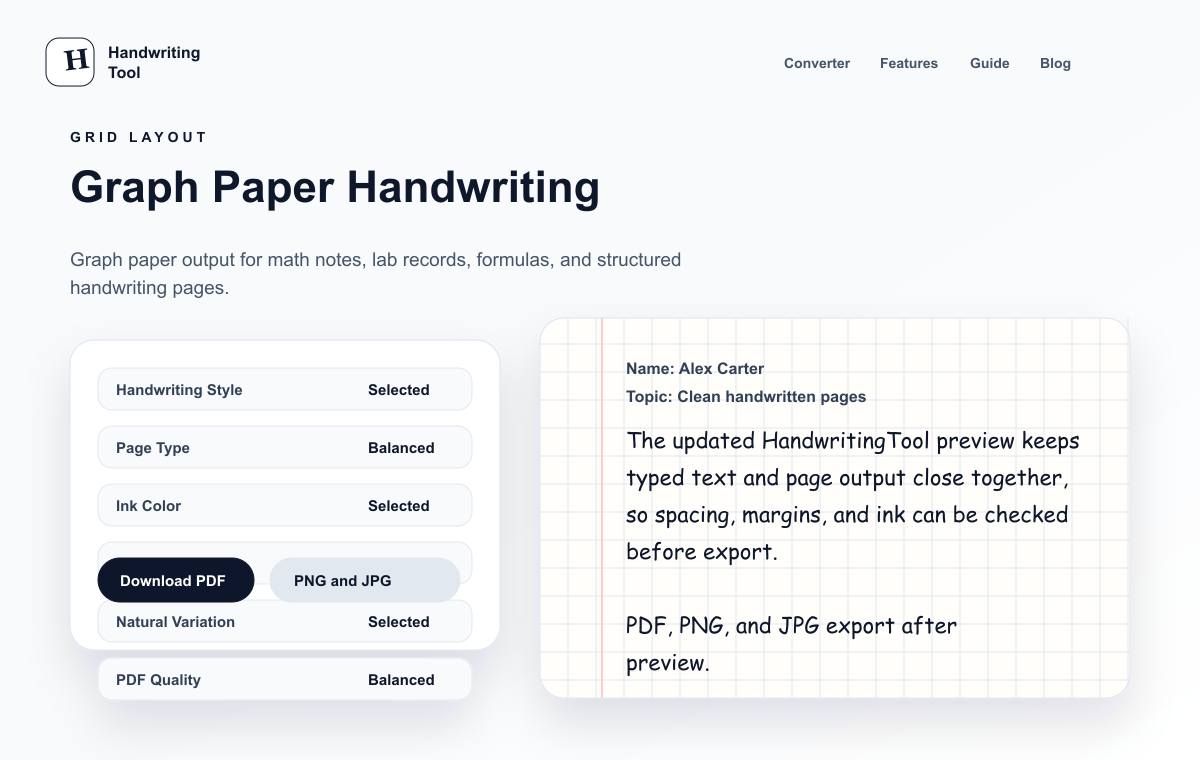
A graph paper handwriting generator is an online tool that places typed content onto a grid paper background and renders it in a handwritten style. Instead of printing blank graph paper first and writing everything manually, you can prepare the content digitally and generate a clean handwritten-style page.
A good graph paper handwriting page usually includes:
- A square grid or graph paper background
- Readable handwriting-style text
- Comfortable margins
- Balanced line spacing
- Blue or black ink
- Short sections instead of dense paragraphs
- A live preview before export
- PDF or image download options
The goal is not just to make letters look handwritten. The full page should feel organized, readable, and suitable for structured notes. If you are new to the basic conversion process, start with how to convert text to handwriting.
Graph Paper vs Lined Paper vs Blank Paper
The paper style changes how the handwritten output feels. Graph paper is not always the right choice, but it is excellent for the right kind of content.
| Paper Type | Best For | Avoid When |
|---|---|---|
| Graph paper | Math notes, formulas, lab records, tables, diagrams, structured study pages | Writing long essays or full paragraphs |
| Lined paper | Class notes, study pages, revision pages, paragraph answers | Content depends on grids, numbers, or layout |
| Blank paper | Letters, clean documents, title pages, short personal notes | You need visible writing guides or structured spacing |
Use graph paper when the grid helps the reader understand the page. Use lined paper when you are writing normal sentences. Use blank paper when you want a cleaner, less school-style page. For printing, match the grid to the A4 page setup before exporting.
For a deeper comparison of page output, read handwriting tool vs handwriting generator.
When Should You Use Graph Paper Handwriting?
Graph paper handwriting is best when the page needs structure. The grid gives the content a technical, organized look and helps numbers, short labels, and sections feel easier to scan.
Use graph paper handwriting for:
- Math notes
- Physics formulas
- Chemistry observations
- Lab records
- Tables and readings
- Calculation examples
- Coordinate notes
- Engineering-style summaries
- Formula sheets
- Study pages with numbers or symbols
- Diagram labels and short explanations
If your content is mostly normal paragraph writing, graph paper can look too busy. In that case, lined paper handwriting or a clean blank page will usually look better.
How to Create Handwritten Graph Paper Pages Online
You can create handwritten pages online on graph paper directly in your browser.
Step 1: Prepare Your Text
Start with clean typed content. If you are new to the basic workflow, learn how to convert text to handwriting before preparing graph paper content. Graph paper works best when the text is organized into short sections.
Before pasting, check:
- Are the headings short?
- Are long paragraphs split into smaller blocks?
- Are formulas and numbers easy to read?
- Are repeated lines removed?
- Are tables simple enough to fit the page?
- Is the content final enough to export?
If you are converting study material, the handwritten notes generator guide has more note-cleaning tips.
Step 2: Open the HandwritingTool Editor
Open the focused graph paper handwriting tool. Its A4 grid, structured spacing, and dark ink preset are already selected; paste your content and review the live preview.
Do not download immediately. Graph paper output depends on spacing, margins, and readability, so the preview matters.
Step 3: Choose Graph Paper
Select graph paper from the paper options. This gives the page a grid background that works well for math, science, lab, and structured study content.
Graph paper is especially useful for:
- Formulas and short explanations
- Numbered examples
- Lab readings
- Step-by-step calculations
- Small tables
- Technical note blocks
If the page starts to feel too crowded, shorten the text or increase spacing before export.
Step 4: Pick a Readable Handwriting Style
For graph paper, readability matters more than decoration. Avoid highly cursive styles for formulas, numbers, and technical notes. A simple notes-style or lab-style handwriting look is usually better.
A good graph paper handwriting style should have:
- Clear numbers
- Easy-to-read letters
- Moderate stroke weight
- Natural spacing
- No extreme slant
- Good readability across a full page
For more guidance, read best handwriting fonts for study pages. The same rule applies here: clear handwriting beats fancy handwriting.
Step 5: Adjust Spacing and Margins
Graph paper can look busy if the text is too tight. Use enough spacing so the handwriting does not fight with the grid.
Start with:
- Medium font size
- Normal or slightly open line spacing
- Blue or black ink
- Comfortable left and right margins
- Short paragraphs or bullet-style sections
- PDF export for final printing
If realism is your main goal, use the full checklist in how to make handwriting look realistic online.
Step 6: Preview the Full Page
Always preview the full page before downloading. A graph paper page can look fine at the top but become hard to read if the lower sections are too dense.
Look for:
- Text that blends into the grid
- Numbers that are too small
- Lines that feel crowded
- Margins that are too narrow
- Sections that need blank space
- Page breaks that split important notes
Make small adjustments before exporting. A little spacing can make a graph paper page much easier to read.
Step 7: Download as PDF, PNG, or JPG
PDF is the practical choice for multi-page graph-paper notes and test prints. Use the handwriting PDF export guide when page scale and print sharpness matter.
When the preview looks clean, download your handwritten graph paper output. Use PDF for printing or multi-page notes. Use PNG when you need a clear image. Use JPG when you need a smaller file.
For most study pages and lab records, PDF is the best format because it keeps pages together and preserves the layout. For more detail, read the text to handwriting PDF generator guide.
Best Settings for Graph Paper Handwriting
Graph paper pages need slightly different settings than lined notebook pages. The grid adds visual structure, so the handwriting should stay simple and readable.
| Setting | Recommended Choice | Why It Helps |
|---|---|---|
| Paper style | Graph paper | Best for structured notes, formulas, and lab records |
| Handwriting style | Simple, readable, notes-style | Keeps numbers and short labels clear |
| Font size | Medium | Prevents text from feeling cramped |
| Line spacing | Normal or slightly open | Helps handwriting stand apart from the grid |
| Ink color | Black or dark blue | Prints clearly over graph paper |
| Margins | Normal or wider | Gives the page room to breathe |
| Export format | Best for printing and multi-page notes |
Avoid overly light ink colors because they can disappear against the grid. Avoid decorative cursive because numbers and symbols become harder to read.
Graph Paper for Math Notes
Graph paper is a strong choice for math notes because it gives formulas, numbers, and examples a natural structure. It can make typed math summaries feel closer to a real notebook page.
Good math content to convert includes:
- Formula lists
- Algebra steps written in simple text
- Geometry notes
- Coordinate examples
- Statistics summaries
- Short calculation explanations
- Practice revision formulas
Keep math notes simple before converting. If your source includes complex equations, fractions, or special notation, check the preview carefully. Some complex formatting may need to be simplified or rewritten as plain text before it looks clean in a handwriting converter.
For broader note formatting, read how users can convert typed notes into handwriting.
Graph Paper for Lab Records
Graph paper also works well for lab-style pages because lab records often include readings, observations, measurements, and short explanations. The grid helps the page feel organized without needing a heavy table design.
Use graph paper handwriting for:
- Experiment titles
- Aim or objective lines
- Apparatus lists
- Observation notes
- Measurement readings
- Simple result summaries
- Short conclusion sections
- Lab record drafts and planning pages
For lab records, use a clean handwriting style, black or dark blue ink, and enough spacing between sections. Keep each section short. A lab page should be easy to scan quickly.
If your lab content includes diagrams, you can add the labels as text, but complex diagrams may need to be prepared separately. The graph paper background is helpful for structure, but the final page still depends on clean source content.
Graph Paper PDF Printing Tips
Many users search for graph paper because they want something printable. If you plan to print your handwritten graph paper pages, PDF is usually the safest export format.
Before printing:
- Download as PDF for stable layout
- Open the PDF once before printing
- Print one test page first
- Use actual size or 100% scale when possible
- Avoid shrinking the page unless your printer requires it
- Check whether the grid is too dark or too light
- Use black ink if blue prints too faintly
If the page looks crowded after printing, go back to the editor and increase spacing or split the content into more pages.
Common Mistakes to Avoid
Graph paper can make notes look organized, but only when the content matches the format. Avoid using it like normal lined paper.
Common mistakes include:
- Pasting long textbook paragraphs
- Using graph paper for essay-style content
- Choosing decorative cursive for formulas
- Making the font too small
- Using pale ink over the grid
- Ignoring margins
- Not previewing page breaks
- Expecting complex equations to format perfectly without cleanup
The best graph paper handwriting pages are short, structured, and readable. The grid should support the content, not distract from it.
Who Should Use a Graph Paper Handwriting Generator?
A graph paper handwriting generator is useful for users, teachers, and creators who need structured handwritten-style pages.
Users can use it for math notes, lab record drafts, formula sheets, and revision pages. Teachers can create example pages, worksheet-style notes, or sample lab observations. Creators can make realistic notebook visuals for educational content.
Use handwritten-style output for clear notes, structured examples, drafts, and visual resources. Keep the source text accurate, preview the page carefully, and choose graph paper only when the grid supports your work.
FAQs
Can I create handwriting on graph paper online?
Yes. You can paste typed text into HandwritingTool, choose graph paper, adjust the handwriting settings, preview the page, and download the output as PDF, PNG, or JPG.
Is graph paper good for math notes?
Yes. Graph paper works well for math notes because it gives formulas, numbers, coordinates, and calculation steps a structured page background.
Can I download graph paper handwriting as PDF?
Yes. PDF is usually the best format for graph paper handwriting because it keeps the layout stable for printing and multi-page notes.
What ink color is best on graph paper?
Black or dark blue ink usually works best. These colors stay readable over the grid and print more clearly than pale colors.
Is graph paper better than lined paper?
Graph paper is better for math, science, lab records, tables, and structured notes. Lined paper is better for normal paragraphs, study pages, class notes, and notebook-style writing.
Can I use graph paper handwriting for lab notes?
Yes. Graph paper is useful for lab notes, readings, observations, short result summaries, and structured experiment sections.
Can I convert formulas to handwriting?
You can convert simple formulas and math notes, but complex equations may need cleanup before pasting. Always check the preview to make sure numbers and symbols remain readable.
Does graph paper handwriting work on mobile?
Yes. You can use HandwritingTool in a mobile browser, choose graph paper, preview the output, and download the result. For long notes, desktop may be easier because the preview has more space.
Final Thoughts
A graph paper handwriting generator is best when your typed content needs structure. It works especially well for math notes, lab records, formula sheets, readings, and technical study pages. The grid gives the page a clear layout, while handwriting-style text makes it feel like a real notebook page.
Start with clean text, choose graph paper, use a readable handwriting style, keep spacing open, preview the full page, and download as PDF when you need a printable result.